The approval email: when your practicum hours start to count
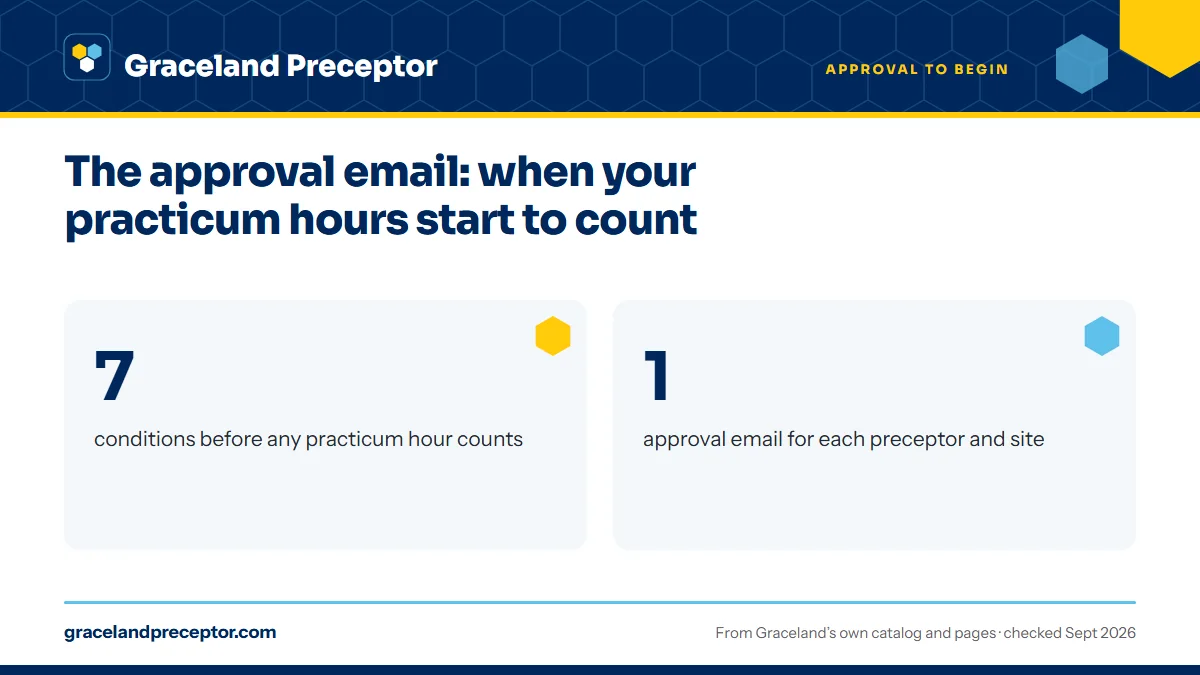
At Graceland University, practicum hours count only after a contract coordinator emails you that a preceptor and site are approved, and only when six other conditions are met as well. You receive one email for each preceptor and site, and you show all of them to your instructor on the first day of class. Without that email, hours at that site do not count.
Get your placement plan
Tell us your Graceland program and where you live. A placement advisor replies with the preceptor and site options that fit your course.
What the approval email is
The approval email is a contract coordinator's written confirmation that a named preceptor at a named site is approved for your practicum. It arrives at your Sting email account, the channel Graceland treats as official for everything between the School of Nursing and its students.
Graceland approves generously on hours. The handbook says the coordinators “always approve the most allowable hours for the practicum for each preceptor,” so the number in your email reflects the whole practicum total, not the share you plan to spend with that clinician. If you split NURS6830 between a family practice and a specialty clinic, both emails can show the full 300.
Check each email as it arrives. The preceptor's name, the site and the term should match your plan exactly, because it is the document your instructor will look at on day one.
The seven conditions, in Graceland's order
The handbook lists seven things that must all be true before a practicum can start. The approval email is the third; the others sit with different offices, and any one of them can hold up your first day.
| Condition | Who handles it |
|---|---|
| 1. All agreements are in place | The contract coordinator and the site |
| 2. Your enrollment has been processed | Registration follows your completion plan; Program Advising handles changes |
| 3. A Graceland email approves you for the practicum's total hours | A contract coordinator |
| 4. Student Financial Services has cleared you | Student Financial Services |
| 5. Your site and preceptor are listed in Typhon | A contract coordinator, by the first week of term |
| 6. Your Castle Branch documents are current and compliant | You, through the GD23 portal |
| 7. It is the first day of the term | The academic calendar |
Hours count only inside the term's date range, so a week with your preceptor before the term opens adds nothing to your total, even with the other six in hand. For 2026-27 the trimesters open on August 24, January 4 and May 3; the trimester calendar has the rest.
Day one: showing your approvals to your instructor
Graceland asks students to provide approval emails for every preceptor and site to their instructors on the first day of class. Keep them together where you can forward or upload them quickly, and count them against your plan: one per preceptor and site.
The rule behind it is plain. When there is no approval email for a site, you cannot count hours there. A second office your preceptor adds partway through the term, or a colleague covering for more than a few shifts, has to fit Graceland's rules before those hours go in your log.
The cycle repeats every term and every practicum course. An approval for NURS5450 does not carry over to NURS5460, even at the same hospital, and the same holds for each FNP and PMHNP practicum.
No approval email for a site means no countable hours at that site. Log time only from the point your approval covers it, within the term's dates.
How the email reaches you
The approval email sits at the end of a chain. Your Appendix A and your preceptor's Appendix B reach a contract coordinator, who checks the affiliation agreement, reviews your Castle Branch record and all forms, and emails you about anything missing.
Once your file is complete, the coordinator tells the lead faculty or your track coordinator, before the trimester begins, that you are ready. You then receive one email for each approved preceptor and site, and the coordinator lists you, your preceptor and your site in Typhon by the first week of term or sooner.
If your email has not arrived as the term approaches, search your Sting inbox for a missing-item message first, then check each piece in turn: Castle Branch, the site agreement and your preceptor's Appendix B. Questions go to soncontracts@graceland.edu.
Approval of a preceptor is not the same as clearance
Graceland keeps two ideas apart. Approval of the preceptor and site says that this clinician and this location fit your course. Clearance to begin is wider: Castle Branch items approved, the drug screen and background check complete, Student Financial Services satisfied and the term under way.
Treat the email as necessary but not sufficient. The drug screen, for example, must fall in a set window ahead of your first practicum and go through Castle Branch's designated lab, while the background check has its own first-term cutoff. The Castle Branch page covers every item.
Changes after your approval arrives
A new preceptor or a new site after approval means new paperwork and a new approval for that person or place. Graceland asks students not to cancel a preceptor once the preceptor has agreed and the paperwork is in, because each change adds work and slows approvals for every student, and the contract coordinators monitor every preceptor change.
Brief cover is the exception: a single substitute each term can cover up to 40 hours at your primary site with no Appendix B. Anything longer, and any added second preceptor, needs approval first. Requests to add a second preceptor close two weeks before the term. The changing or adding a preceptor page has the details.
Where we fit: built toward approval
Graceland students choose us because we work toward the approval email from the very first search. Every preceptor we find fits your course and track rules, every address is identified up front, and the details the coordinators need are ready before your term's deadline, so your path from Appendix A to approval is as short as Graceland's own process allows.
If a preceptor's plans change, our placement desk starts the replacement search at once and prepares the new paperwork for Graceland's review. We also keep your second preceptor in view from the start, so a mid-course change has a ready answer. Send us your track and term with the form below.
Questions Graceland students ask
Can I start clinical hours as soon as my approval email arrives?
Only if the term has begun and the other six conditions are met. Hours count only within the term's date range, and you also need your agreements in place, your enrollment processed, clearance from Student Financial Services, a Typhon listing and a compliant Castle Branch record.
I have two preceptors at two sites. How many approval emails should I get?
Two, one for each preceptor and site. Graceland sends a separate email for every approved preceptor and site, and a preceptor who works from several offices generates an email for each address. Show your instructor all of them on the first day of class.
What happens to hours I log without an approval email?
They do not count. Graceland's rule is that without an approval email for a site, a student cannot count hours there. Get the preceptor and site approved first, then log hours from that point forward within the term. Your instructor checks approvals on the first day of class for this reason.
Who sends the approval email, and where does it arrive?
A contract coordinator sends it to your Graceland Sting email account. Questions about a missing or incorrect email go to soncontracts@graceland.edu, the mailbox Graceland uses for all practicum correspondence. Write from your Sting address and include your course and term.
Why does my approval email list the full practicum hours?
Graceland approves each preceptor for the most hours allowed in that practicum, so the email shows the full total, such as 225 or 300 hours, even if you plan to split the practicum between two preceptors. Your time log, not the email, records how the hours were actually shared.
Related pages
Last checked 2026-09-25
We check these pages against Graceland's own catalog, program pages and Graduate Student Handbook. Your handbook, your track coordinator and the contract coordinators have the final word.
Graceland's practicums are arranged by you, with Graceland's help. We do the searching.
Tell us your Graceland track, your city and your next practicum. We find preceptors who fit the course, line up what Appendix A and Appendix B ask for, and aim everything at Graceland's paperwork deadline for your term.
- Preceptors matched to the course: primary care for FNP, hospital and ICU clinicians for AGACNP, psychiatrists and PMHNPs for PMHNP
- Site address, contract contact and preceptor details ready before the June 15, October 15 or February 15 deadline
- Close to home in your approved state, with a second preceptor planned for Graceland's two-preceptor rule
Start your placement plan
Track, city and practicum start is all we need to begin.