The Graceland systems every nursing student uses
A Graceland University nursing student works across a handful of systems: myGraceland for the portal and the School of Nursing's SON Resources page, Canvas for courses, the Sting email account for official messages, the my.graceland.edu forms for practicum paperwork and the Grabske Library for research. Castle Branch and Typhon cover compliance and practicum tracking.
Get your placement plan
Tell us your Graceland program and where you live. A placement advisor replies with the preceptor and site options that fit your course.
Which system does what
Most of these are linked from the menu at the top of every graceland.edu page, which lists myGraceland, Canvas and the Office 365 email link among others. Here is how they divide the work for a graduate nursing student:
| System | What you use it for | Where it lives |
|---|---|---|
| myGraceland | The student portal: the SON Resources page, final grades, Appendix A, the graduation application | portal.graceland.edu |
| Canvas | Your online courses, including the Assignment Folder for practicum time logs | gracelanduniversity.instructure.com |
| Sting email (Office 365) | The official channel between the School of Nursing and you; practicum approvals arrive here | An address ending @sting.graceland.edu |
| my.graceland.edu forms | Appendix A for students and Appendix B for preceptors | Track-specific links in the Graduate Student Handbook |
| Castle Branch | Background check, drug test and health documents | The GD23 portal |
| Typhon | Site and preceptor listing, case logs, preceptor evaluations | Listing added by the contract coordinator |
| Grabske Library | Nursing databases, article requests, inter-library loans | The Graceland Libraries site |
| Zoom | Virtual focus sessions for FNP and PMHNP | Session details emailed well in advance |
Castle Branch and Typhon have their own pages: see Castle Branch and Typhon.
myGraceland and the SON Resources page
myGraceland is the portal behind most of your student business. Graceland posts final grades there once faculty submit them to the Registrar at the end of each term, the graduation application sits under the Registrar's Office pages, and financial aid notices tell students to view their aid package there. The handbook spells the name three ways (myGraceland, My Graceland and MyGraceland), and all three mean the same portal.
For nursing students, the stop that matters most is the SON Resources page inside myGraceland. Graceland says links to additional academic resources and the graduate course syllabi are available to enrolled students there, and the handbook says completion plans are posted there as well. When a question comes up about your course sequence, start on that page and then write to Program Advising.
Appendix A, the Request for Agency and Preceptor Approval, is also reached through myGraceland: the handbook notes you must be signed in to open it. The Appendix A page covers what the form asks.
Canvas, and the older D2L and Brightspace mentions
Canvas is Graceland's course platform. The Graduate Student Handbook sends students to Canvas for technical help, through Help and then Canvas Support to open a ticket, and the 2026-27 RN-BSN handbook says Graceland employs Canvas as the platform for online and hybrid classes. The graceland.edu menu links straight to it.
Other names still turn up. Page 8 of the same graduate handbook lists "D2L Technical Support", an undergraduate catalog page on technology requirements last updated in 2021 says Graceland uses Brightspace, and the MSN admissions page mentions Brightspace too. Those references are stale. Treat Canvas as current, and if an older document tells you to find something in D2L or Brightspace, look for it in Canvas.
For practicum students, Canvas holds one record that matters a great deal: the Assignment Folder where time logs are turned in. The evaluations and site visits page explains how your preceptor validates those logs.
The Sting email account
Graceland gives each student an Office 365 account with an address ending in @sting.graceland.edu, and the handbook names that Sting account as the official means of communication between the School of Nursing and students. Approval emails for each practicum site and preceptor, the contract coordinator's notes about missing paperwork and focus session details all come to this inbox.
Your Sting address is part of the practicum paperwork too: a preceptor completing Appendix B needs it, along with your name, student ID, course name and term. Use it for every message to soncontracts@graceland.edu, add it to your phone's mail app, and check it daily during paperwork season. The RN-BSN handbook adds that the account includes 50 GB of cloud storage, a Microsoft Office 365 download and access to student email after graduation.
The practicum forms on my.graceland.edu
Graceland's practicum forms are online forms hosted on my.graceland.edu, and the handbook prints separate links for the FNP, AGACNP and PMHNP tracks. There are two, and different people complete them:
- Appendix A, Request for Agency and Preceptor Approval: submitted by you, online only, while signed in to myGraceland. Graceland accepts no paper version, and one is needed for every term, site and address.
- Appendix B, Preceptor Application & Agreement: completed by the preceptor from the track link in the handbook, with no Graceland account needed. A new one is required each term the preceptor is used.
Send your preceptor the link for your own track rather than a printed copy. If a preceptor does email or print the form, it goes to soncontracts@graceland.edu. The Appendix B page lists what the preceptor needs from you before starting.
The Grabske Library for nursing research
The Dr. Charles F. Grabske Library on the Independence campus is Graceland's health sciences library, and Graceland describes its nursing collection as available to online students as well as those on campus. You reach its electronic databases through the Grabske Library homepage and the Graceland Libraries nursing page, using your myGraceland account.
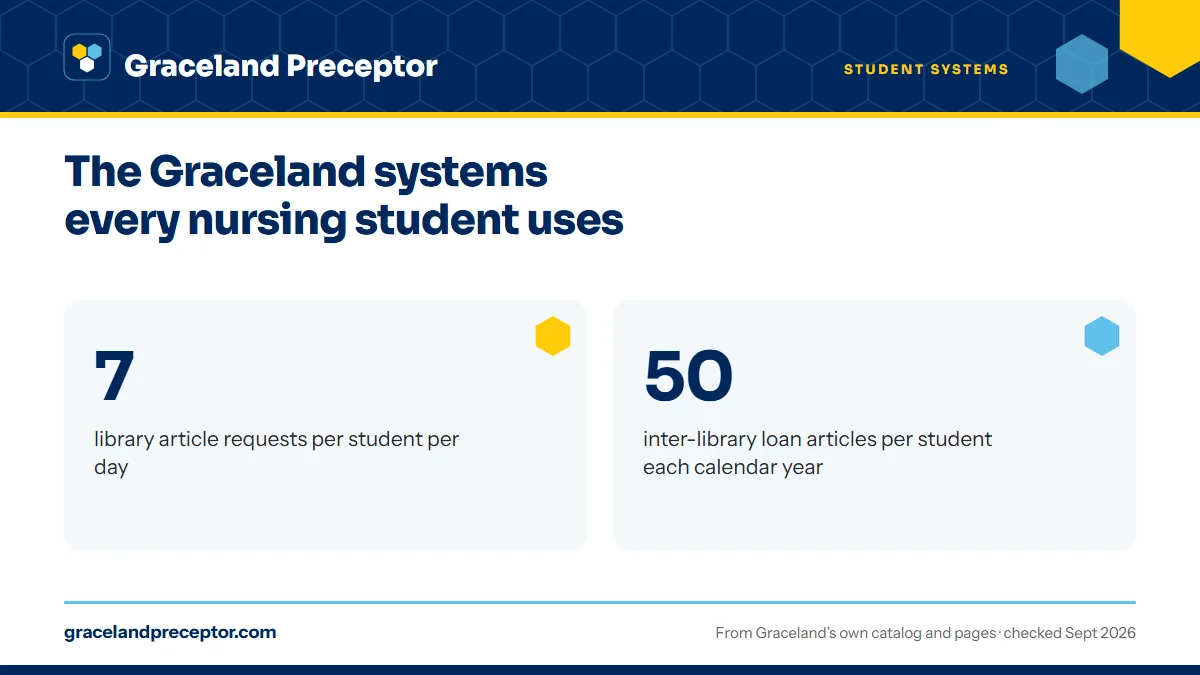
The handbook names the databases nursing students rely on: CINAHL with full text, DynaMedex, Dynamic Health, Health Source Nursing Academic, Ovid Nursing Essentials, Ovid Total Access, the Cochrane Database of Systematic Reviews, ScienceDirect College Edition and PubMed. For articles not held in full text, the library processes up to seven requests per student per day, and each student can receive 50 inter-library loan articles in a calendar year. If you are building a literature review, spread your requests across the term.
The mailboxes that handle everything else
Several jobs have no system of their own, only a School of Nursing or university mailbox:
- soncontracts@graceland.edu: every practicum message, from Appendix A and B questions to site contracts
- programadvising@graceland.edu: completion plans, course changes, drops and withdrawals
- songraduateprograms@graceland.edu: license, testing and certification forms, such as ANCC or AANP verification of education and letters to state boards
- myfinancials@graceland.edu: Student Financial Services, which must clear you before practicum hours count
- techsupport@graceland.edu: email, account and computer problems
Graduate students are registered automatically each term from their completion plan unless a hold from Student Financial Services or another office stops it, which is why the trimester calendar and your completion plan move together.
Why Graceland students choose us
Graceland students keep every one of these systems in their own hands; we work alongside them. Your placement advisor gathers the preceptor and site details that Appendix A and Appendix B ask for, prepares each preceptor to complete Appendix B from the right track link with your Sting address, and aims the whole package at your June 15, October 15 or February 15 deadline.
The aim is simple: when Graceland's approval email lands in your Sting inbox, the site and preceptor behind it are ready for the first week of term. Read how it works or tell us your track in the form below.
Questions Graceland students ask
Does Graceland use Canvas or D2L?
Canvas. The graceland.edu menu links to Canvas, the Graduate Student Handbook routes technical help through Canvas Support, and the 2026-27 RN-BSN handbook says Graceland employs Canvas for online and hybrid classes. The D2L mention in the graduate handbook and the Brightspace mentions on older catalog and admissions pages are out of date.
What is the Graceland Sting email account?
It is your Graceland student email on Office 365, with an address ending in @sting.graceland.edu. The handbook calls it the official means of communication between the School of Nursing and students, so practicum approvals and coordinator notes arrive there. Preceptors also need the address when they complete Appendix B.
Where do I find the SON Resources page?
Inside myGraceland, the student portal linked from the graceland.edu menu. Graceland says the page carries links to academic resources and the graduate course syllabi for enrolled students, and the handbook says completion plans are posted there. The public Resources for School of Nursing Students page on graceland.edu links the student handbooks.
Can online Graceland students use the Grabske Library?
Yes. Graceland says the Grabske Library on the Independence campus holds an extensive nursing collection available to nursing and online students. You reach its databases, including CINAHL, Ovid and Cochrane, online with your myGraceland account, and you can request up to seven articles a day and 50 inter-library loan articles a year.
Where do I send state board or ANCC forms at Graceland?
To songraduateprograms@graceland.edu. Graceland's Resources for School of Nursing Students page says forms the school must complete, such as Verification of Education for ANCC or AANP and letter requests from state boards of nursing, go to that mailbox. Practicum paperwork goes to soncontracts@graceland.edu instead.
Related pages
Last checked 2026-09-25
We check these pages against Graceland's own catalog, program pages and Graduate Student Handbook. Your handbook, your track coordinator and the contract coordinators have the final word.
Graceland's practicums are arranged by you, with Graceland's help. We do the searching.
Tell us your Graceland track, your city and your next practicum. We find preceptors who fit the course, line up what Appendix A and Appendix B ask for, and aim everything at Graceland's paperwork deadline for your term.
- Preceptors matched to the course: primary care for FNP, hospital and ICU clinicians for AGACNP, psychiatrists and PMHNPs for PMHNP
- Site address, contract contact and preceptor details ready before the June 15, October 15 or February 15 deadline
- Close to home in your approved state, with a second preceptor planned for Graceland's two-preceptor rule
Start your placement plan
Track, city and practicum start is all we need to begin.